Features
Everything a community group needs, in one place
StarKind gives clubs, churches, neighborhood groups, sports teams, collector groups and volunteer organizations a page of their own, a list of their people, a calendar with RSVPs, email newsletters, questionnaires and flyers. The parts work together: an event becomes a flyer, the flyer goes in a newsletter, and the answers come back to the event.
What's included
Community website
Your own page on StarKind, built from simple sections: welcome text, photos, events, sponsors and links. A mailing-list sign-up on the page lets people follow your news without making an account.
People in one place
Members, mailing-list subscribers and contacts in one directory, with roles and your own fields. Open, apply-to-join or invitation-only. Only members count toward the Free plan's limit; subscribers and contacts don't.
Calendar and RSVPs
One-time and repeating events with maps, add-to-calendar links and RSVPs, including RSVP links you can share with anyone. Volunteer roles and time slots can be added to any event.
Email newsletters
Write, preview and send newsletters that include your events, questionnaires and flyers. Readers RSVP or answer a questionnaire straight from the email.
Questionnaires and volunteers
Ask questions with a shareable link, and let people sign up for volunteer roles and time slots without logging in.
Photos, discussions, blog and sponsors
Photo albums, discussion forums, news posts, and a section that thanks your sponsors.
Sales Corner
Members list items with a price and a description. Buyers and sellers arrange payment and pickup themselves. StarKind doesn't process sales or take a fee.
Creative Studio flyers3 free
Flyers for phones, social posts and print, with QR codes. Every community can try 3 free.
Text messagingClub · coming soon
Send newsletter links by text from your community's own number. Starts after a one-time carrier approval.
Your own domainClub add-on
Use a web address you already own, like yourgroup.org. We walk you through the DNS settings.
Prices and limits are on the pricing page. Flyers are explained on the Creative Studio page.
How it works
From idea to RSVPs, in one place
One event, start to finish. Each step starts from what you've already entered.
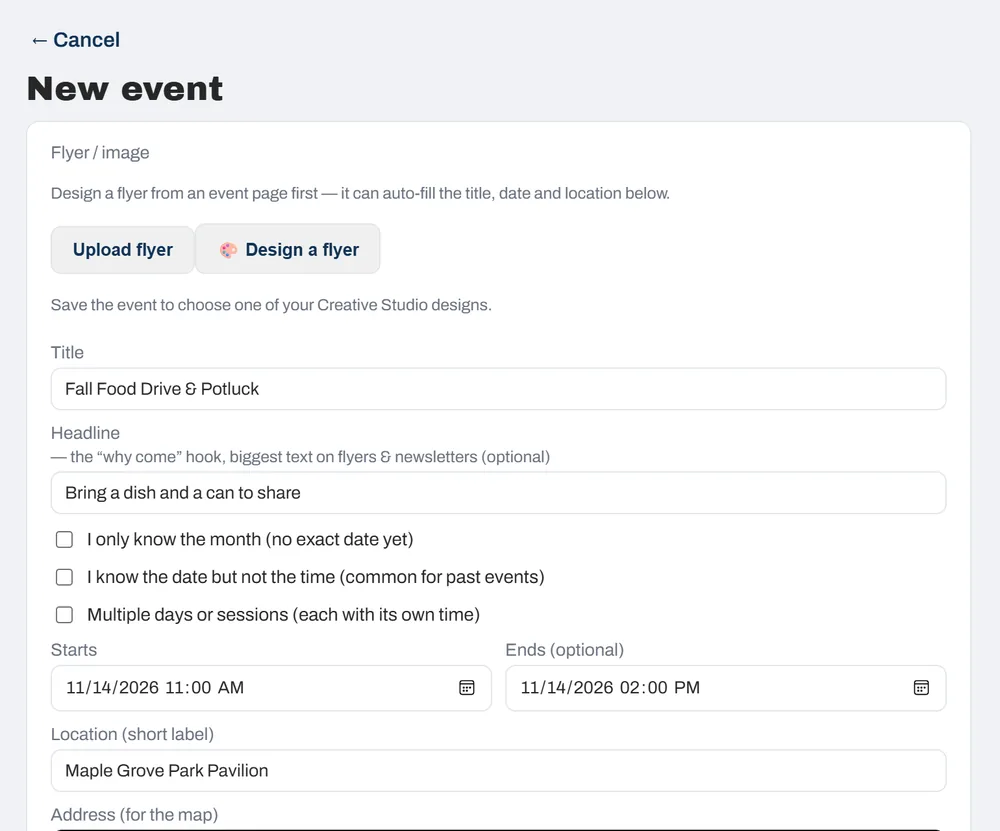
Create an event
Add the date, the place and a short “why come” line. It shows on your calendar and home page, with add-to-calendar links.
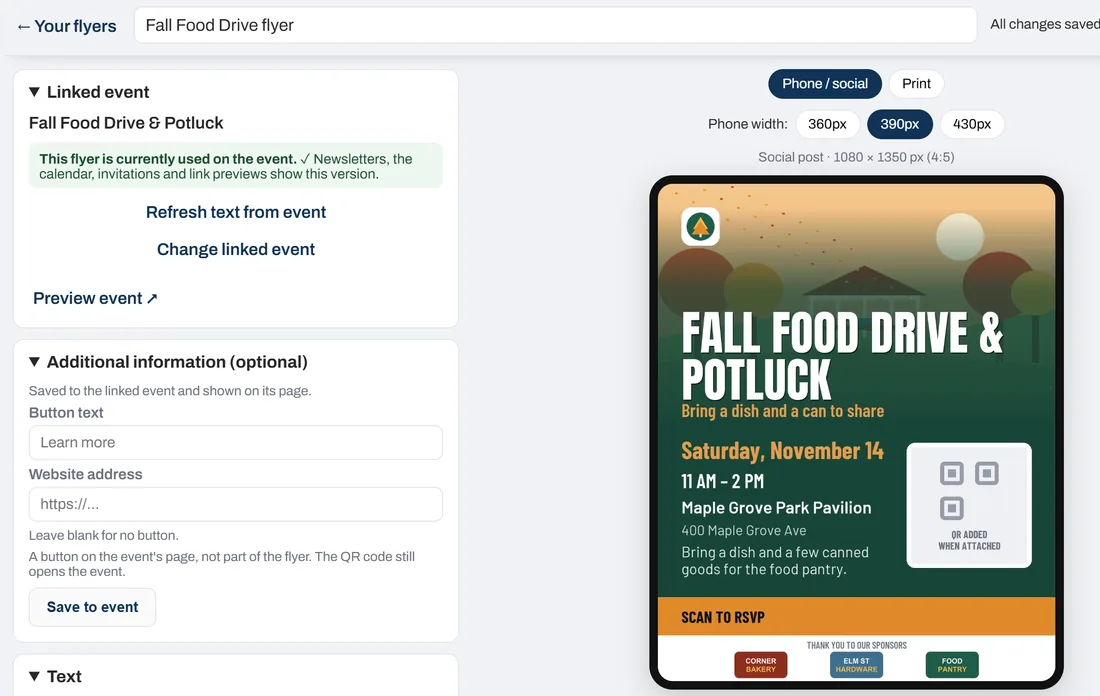
Make its flyer
Creative Studio fills in the details from the event, with your logo, a photo and your sponsors. The QR code opens the RSVP page.
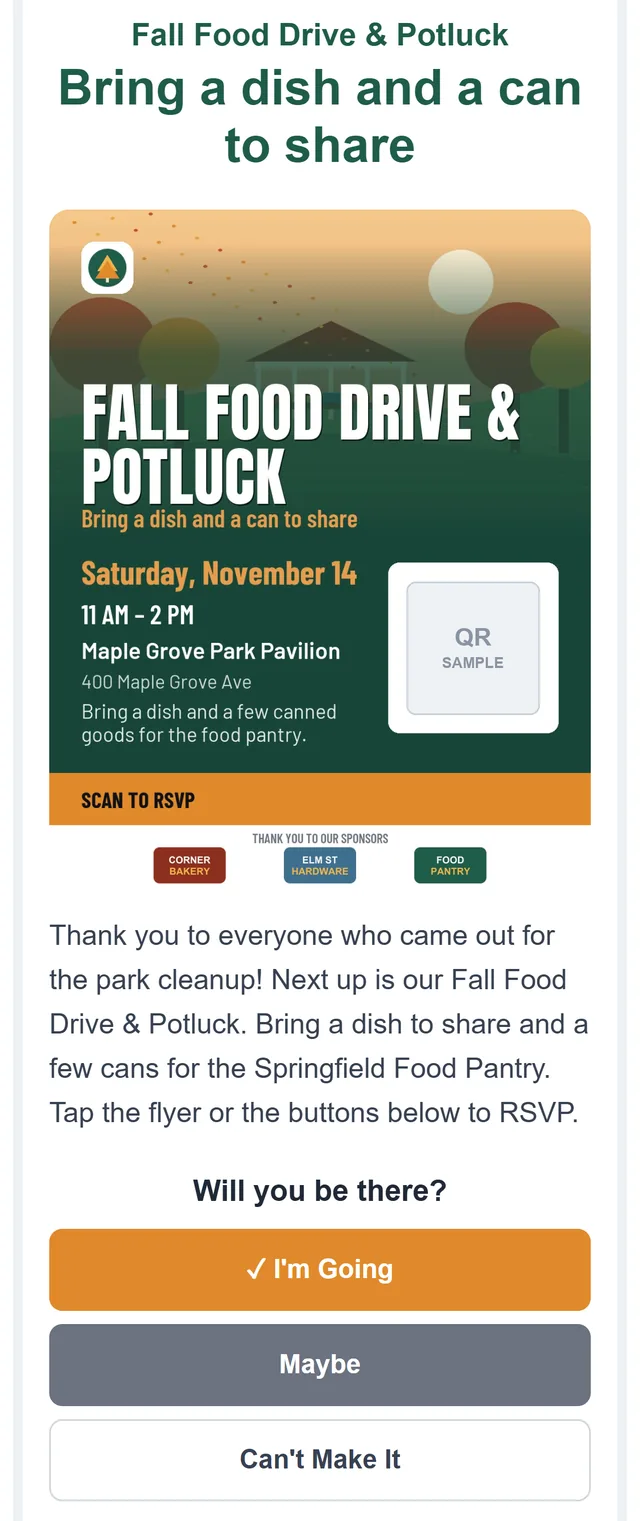
Include it in a newsletter
Add the flyer to an email newsletter. Readers answer from the email with one tap — no account needed.
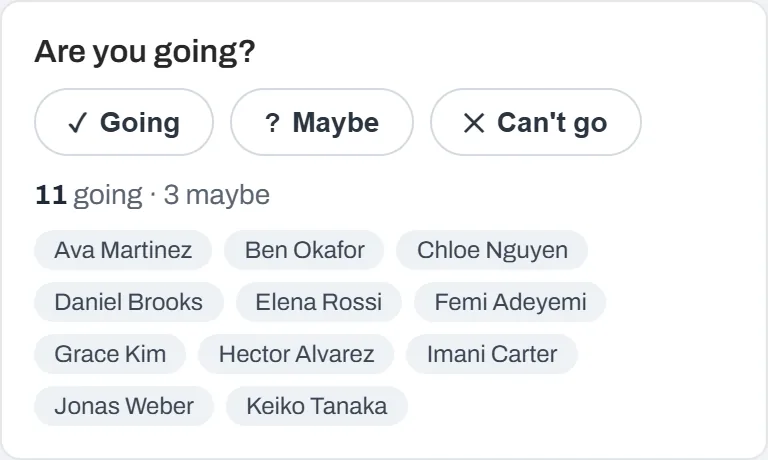
Collect responses
See who's going, who might come and who can't, as the answers arrive. Questionnaires collect answers the same way.
Screenshots show an example community. Its names and places are made up.
Who it's for
Made for groups like yours
A few ways different groups can use StarKind.
Church groups
Share the calendar of services and potlucks, recruit volunteers for each role, and send a weekly newsletter.
Artist collectives
Promote open studios and shows with a flyer, share photo albums, and keep members in the loop.
Neighborhood groups
Organize cleanups, potlucks and meetings. Neighbors can join your mailing list without making an account.
Sports clubs
Post practices and matches, take RSVPs, and find captains and helpers with a questionnaire.
Watch collectors
Plan meetups, keep discussions going between them, and let members list pieces in the Sales Corner.
Volunteer organizations
Set up roles and time slots, share a sign-up link that needs no login, and thank your sponsors.